PACS Training Module
PACS Training Module
Radiology Study Routing & Worklist Management
A self-guided training walkthrough — 5 lessons with knowledge checks
Lesson 1: How a Study Gets Into PACS
From image acquisition to archive
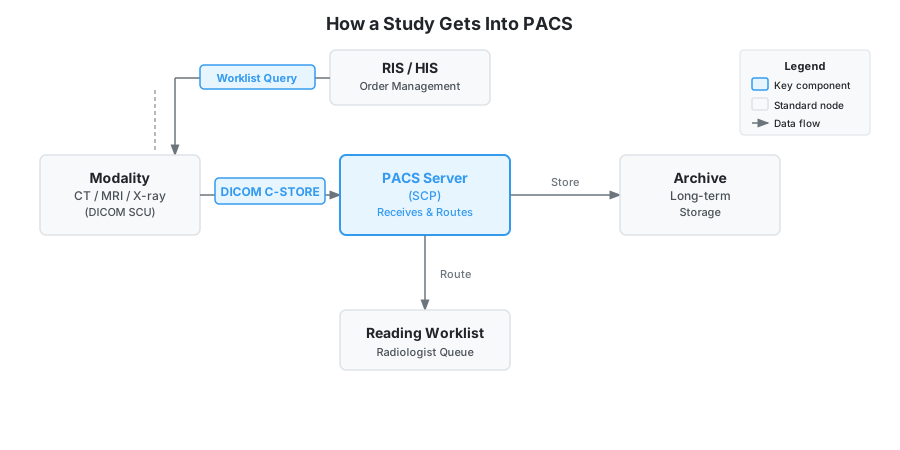
When a technologist acquires images on a modality (CT, MRI, X-ray), those images are transmitted digitally using the DICOM standard. The modality acts as a DICOM SCU (Service Class User) — the device initiating the communication. The PACS Server acts as a DICOM SCP (Service Class Provider) — the device that receives and stores the images.
Each study is uniquely identified in DICOM by Study, Series, and Instance UIDs. The modality sends a C-STORE request to the PACS SCP, which acknowledges receipt and archives the images. This entire process typically takes seconds to minutes depending on image volume and network speed.
For a PACS Administrator or Application Specialist, understanding this flow is foundational — when images don't arrive, every troubleshooting path starts here.
Which DICOM entity is responsible for receiving images from the modality?